
How to Turn Photos into Videos with AI (and Keep the Same Person Every Time)
The photo is the starting point nobody talks about
Ask most people how to make an AI video and they picture typing in a description and watching a clip appear. Text-to-video gets all the attention. But for creators who actually post regularly, the more useful question is simpler: how do I turn a photo I already have into a video?
It matters because of one brutal fact about text-to-video. When the model has to invent a face as it goes, the face drifts. Character A in your first clip is not character A in your third. The result feels off even when you cannot say exactly why. The whole reason AI video feels uncanny to audiences is often just that the identity is not holding.
Turning a photo into a video fixes that. You start from a still you have already approved, so the moving image inherits the face you chose. Same person, same style, every time. That is the difference between a pile of clips and a recognizable body of work.
This guide walks through the photo-to-video workflow, why the photo comes first in the pipeline, and how to keep one identity consistent across every video you make from it.
Why the photo comes first, always
The golden rule of AI content that holds up is this: always generate a photo first, then animate it.
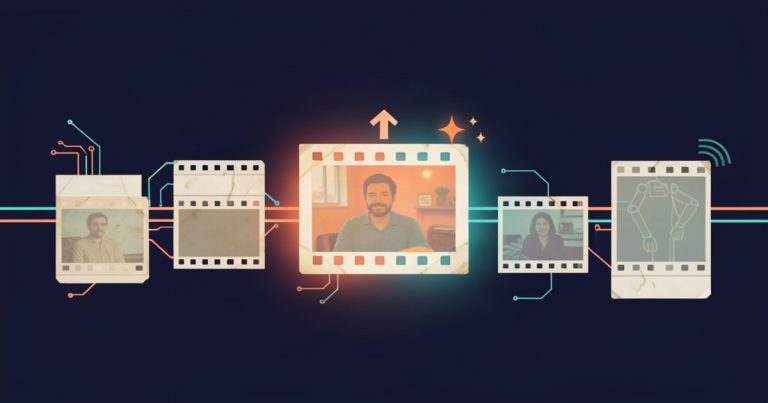
Here is the reasoning. In a connected AI content flow, your photo is the anchor. Generate a clean, on-brand still of your subject, approve it, and then feed that exact photo into the video step as the starting frame. The video inherits the face you approved because it literally starts from it. Text-to-video, by contrast, has to invent everything on the fly, which is exactly where identity drifts the fastest.
So the workflow is not text-to-video. It is photo-to-frame-to-video, and the photo is the part that keeps your brand consistent.
In practice it looks like this:
- Build your avatar from a few reference photos, or define a brand-new persona from scratch if you do not want to use your own likeness.
- Generate a photo of that identity in whatever scene you want, on brand.
- Animate that photo into a short video using it as the starting frame.
- Add captions and hashtags in your voice.
- Slot the finished clip onto your content calendar instead of deciding at 9 p.m. what to post tomorrow.
Every step feeds the next. That connected motion is the real difference between a creator juggling four tools and a creator running one pipeline. And it is the answer to the question of whether you need five subscriptions to make content. You do not. You need one flow where each step carries the identity forward for you.
The one rule that keeps the face from changing
Here is where most AI feeds fall apart. The model has no memory between requests. If you generate a photo and then next week ask for another one with a plain text prompt, the model is re-imagining your character from scratch. The face shifts. Post forty does not look like post one.
The fix is reference-based identity. The generator is handed your actual reference images on every single generation instead of guessing from a prompt. That keeps the same person on screen clip after clip, because you are showing the model who you are rather than describing a person into existence.
This is the same thing that makes keeping a character consistent across videos the one rule that matters. Get the identity to hold and everything else gets easier. Let it drift and you spend your whole week re-explaining yourself to a tool.
Turn one photo into a whole short-form series
The payoff of a photo you can reliably animate is that one approved still becomes many videos, not one.
Take that photo, animate it a few different ways, drop it into a shorts series format that keeps people watching, and suddenly one production session feeds the whole month. The audience starts to recognize the same face and the same style week after week, and that recognition is what turns a novelty into a brand they follow.
This is the production-manager problem the latest generation of AI tools exist to remove. The new AI content tools are consolidating the whole chain, photo to video to captions to calendar, so you stop being the courier ferrying files between five apps. When the pieces live in one flow, you do not re-upload, you do not re-explain, and you do not lose the identity in the handoff.
Keep the voice as consistent as the face on screen
A face that stays the same but a brand that sounds different in every video is still a broken output. Tone, niche, personality, and the voice that narrates should live with the identity in one place, so every image and every video carries the same character. Otherwise you are back to re-typing your brand manual into a new app every week.
When the identity and the voice both live at the source, each new video from a photo is recognizably yours before the first second even plays. That is the compounding part of content creation. The same face, the same voice, the same style, clip after clip.
The parts that stay human
Turning a photo into a video is a production capability, not a decision maker. The tools generate, animate, caption, and schedule. They do not decide what is on brand, what is true, and what actually goes out. You approve the work. You hold the judgment about whether a clip is worth publishing or belongs in the trash.
That division is the healthy one, and roughly the same rule applies if you are adding AI anywhere else in your own small-business operation. Use it as a capable assistant with a human in the loop, not as a stack that runs on its own.
Turn your next post into more than one post
Start with the photo. Generate the still on brand, approve the face, and then let that one image become the video, the captions, and the scheduled post. When the photo anchors everything, you are not starting from scratch every day. You are building a body of work that looks like it was made by the same person, because it was.
Call to Action
If you are tired of your AI clips changing faces and the mess of stitching five tools together, AI Influencer Suite was built for this exact photo-first workflow. Build your avatar from a few reference photos or from scratch, generate an on-brand image, animate that photo into a short video, then add captions and hashtags and schedule it to a content calendar in one connected flow, no camera, no crew, no design skills required. Start free with 10 images and 2 videos for life, or upgrade to Creator at $19 per month for unlimited images and 10 videos a month, or Pro at $39 per month for unlimited images and 25 videos a month. Non-expiring video packs add 5 videos for $8, 15 for $20, or 40 for $45, so your access never depends on a monthly meter.