How to Batch Content with AI (Produce a Month in One Session)
The reason most solo creators never post consistently is not that they are lazy. It is that they make every post the same way they make the first one: from a blank page, mid-week, while the audience waits. That is the slow path. Batching flips it. You sit down once, produce a week or a month of content in a single focused session, and let the work show up while you live your life. Batch content with AI and the daily scramble stops being a personality test and becomes a system you run.
Here is how to run a real batch session, what to prepare before you start, and how to keep it all on-brand so a full month of posts reads like one person made them.
Why batching beats daily creation for a solo creator
Every time you switch from writing to designing to recording to scheduling, your brain pays what some call a context-switching tax. You reboot into a new kind of thinking and burn energy getting back up to speed. Post daily and you pay that tax every single day, five to seven times a week.
Batching pays it once. You stay in the writing headspace and write all the scripts. You stay in the visuals headspace and make all the images. You stay in the video headspace and animate everything at once. Same output, a fraction of the mental overhead, and a calendar that is full instead of a blank week you keep putting off.
The better part: AI removes the blank page. Instead of writing each post from nothing, you brief the tool once and let it draft many pieces from your voice. Your job becomes editing and approving, which is faster and far less draining than generating from scratch.
Set your brand reference once before you batch
This is the step that decides whether a batch session produces a coherent feed or a pile of generic slop. Before you generate anything, give the AI a fixed reference for who you are. The moment you anchor it to a voice, a face, and a style, every asset in the batch inherits that identity instead of drifting.
The reliable setup stores those references at your avatar level: your tone, your style, your niche, your personality, plus the voice your videos speak in. Set them once and every script, image, video, and caption the batch produces uses the same voice. You are not re-teaching the tool your brand between posts. That is the whole reason to stop re-teaching your tools every week and anchor the identity once.
A face is part of that identity too. If your videos all show a different-looking person, a batch of twenty posts looks like twenty strangers. The rule that keeps AI characters consistent is the same one that keeps a batch believable: start from one strong reference photo and use it as the first frame of every video, so the identity never wanders between posts.
Plan the calendar first, then batch the production
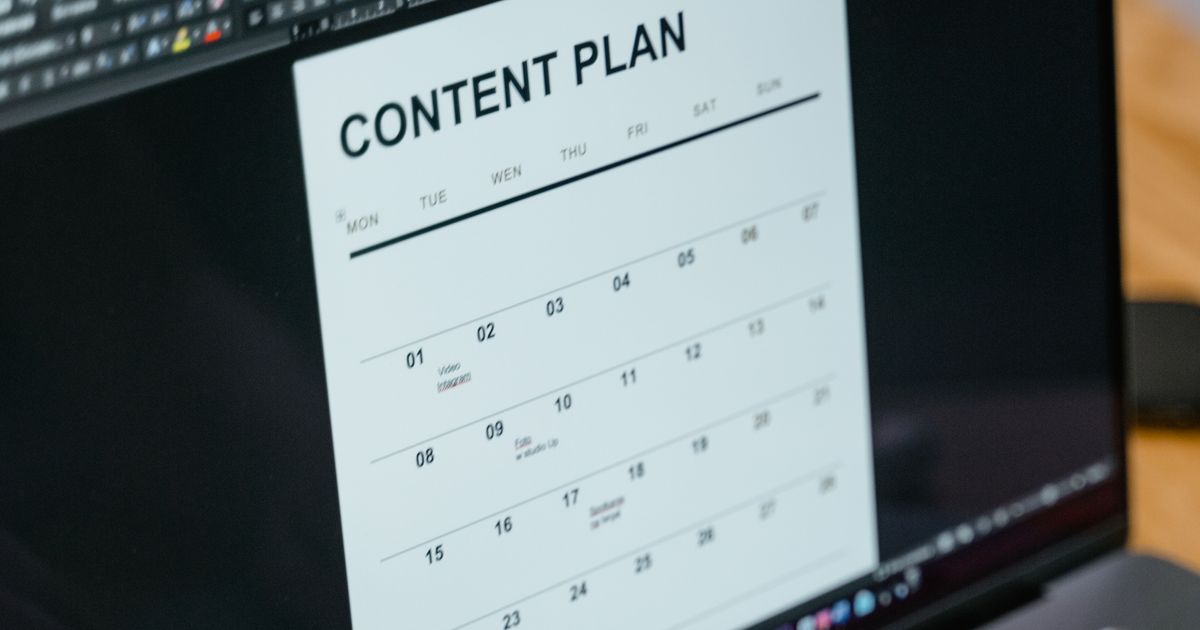
Do not open your AI tool until the plan exists. A batch session is for execution, not for figuring out what to post. Spend a few minutes before you start mapping your month: your content pillars, the balance of post formats, and which day each piece goes out. Separate the thinking from the doing, and production stops being creative freestyle and becomes filling approved slots.
Plan first, produce second. Once the slots are set, your batch session becomes a straightforward execution of a list you already approved. You are deciding less and doing more, which is exactly where AI helps most.
Run the batch in production order, not by platform
The fastest way to batch is to flow each idea completely through the production line before moving on, rather than making all the images, then all the videos, then all the captions separately across apps. When the whole line is connected, each idea becomes a finished, scheduled piece in one pass.
For an image-led feed, that looks like this:
- Script the idea. Nail what the post says in a hook, a body, and a takeaway. This one line of intent drives everything below.
- Generate a photo of your face or character. Always make the photo first. It is the anchor.
- Animate it into a video. Use that photo as the starting frame so the identity holds, instead of typing a text prompt and hoping for a coherent face.
- Add the voiceover in a voice you chose once, so every clip sounds like the same person talking.
- Write the captions and hashtags from the script, already in your brand voice.
- Drop it onto the content calendar so it actually has a slot and goes out.
Run that sequence across all your planned posts in one sitting. Each pass through the line is one finished asset, and at the end of the session you have a full schedule instead of a folder of loose clips you still have to assemble later.
Batching in one connected flow beats stitching tools together
The classic way to batch is to open five separate apps: one makes the picture, one makes the video, one talks, one writes captions, one schedules. Each tool is fine on its own, but the instant a post needs all of them you are back to copying your brand voice and reference photos from tab to tab and remembering which file is in which folder. That copying is not production, it is overhead, and it is the reason batch days burn out. It is the same trap as paying for several subscriptions when one connected tool would do: the effort and the bill stack together.
A connected flow collapses the line. You move one idea from script to image to video to voiceover to captions to calendar in one place, from a phone, without exporting or reformatting between steps. That is the finished asset, not a stack of per-month tools argument made concrete. You do the deciding and approving; the workflow carries the repetition.
Consistency is how a batch actually compounds
Here is the part that matters for growth. A feed that shows up steadily and sounds like one person compounds, because people follow a recognizable presence and the platform has reason to push posts that keep an audience engaged. A creator who runs one batch session a month and publishes on a regular rhythm out-competes the one who posts in bursts and then disappears. That is the same reason owning your audience matters more than ever: consistency builds the recognizable, trusted presence people come back to.
The honest line: you still approve every piece
Let me be direct about what batching does and does not do. It can produce a full month of on-brand posts fast, which is the entire point. What it cannot do is invent the opinion only you have, know what your niche will care about next week, or add the lived experience behind the point. Keep those decisions. Treat every generated asset as a draft you approve or cut, and inject the specific take that is irreducibly yours.
That is not a limitation to apologize for. It is what keeps a high-volume feed from sounding generic, and it is the reason a batch of your content reads like you made it even when the volume would have been impossible by hand.
Batch content with AI, and the showing up takes care of itself
The creators who post consistently are rarely the ones with the most willpower. They are the ones who stopped deciding what to post from scratch every day. You map the month, set your brand reference once, and run one production session that fills the calendar. You approve, the workflow executes, and the work goes out on schedule while you handle everything else.
AI Influencer Suite was built to make that batch session a single connected flow on your phone: set your brand voice, style, niche, and personality once, generate on-brand scripts, images, videos, voiceovers, captions, and hashtags, and drop everything onto your content calendar in one place, with the same face and voice carried through. Start free with 10 images and 2 videos for life, or upgrade to Creator at $19 per month for unlimited images and 10 videos a month, or Pro at $39 per month for unlimited images and 25 videos a month. Non-expiring video packs add 5 videos for $8, 15 for $20, or 40 for $45, so you can test a consistent batching workflow without committing to a monthly plan.